


Pepeta App for Android
18+ Version 1.0.29 Size 8.3 Mb
Bonus for registration 250 KES
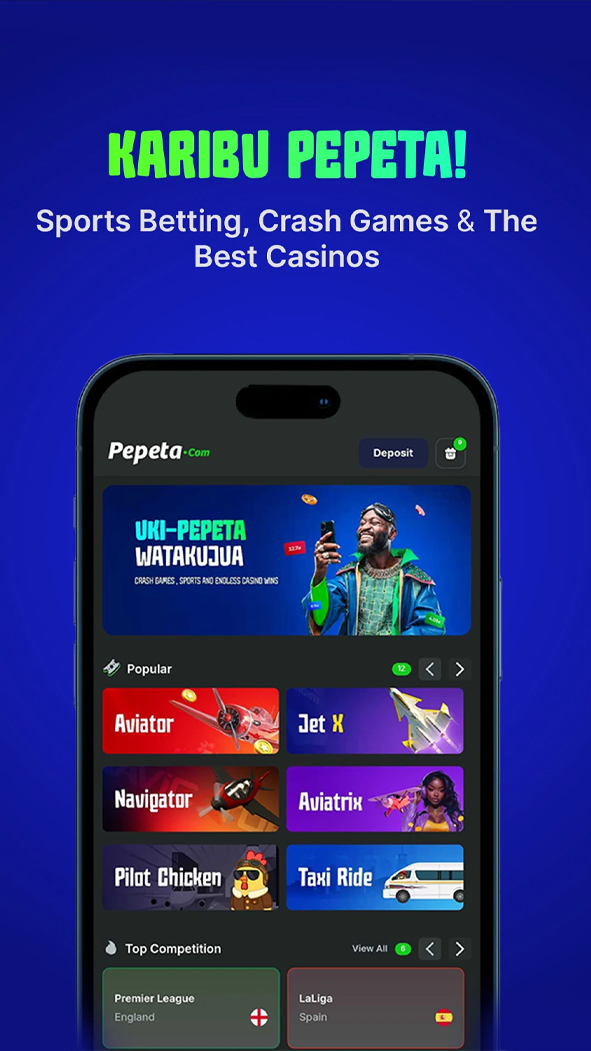
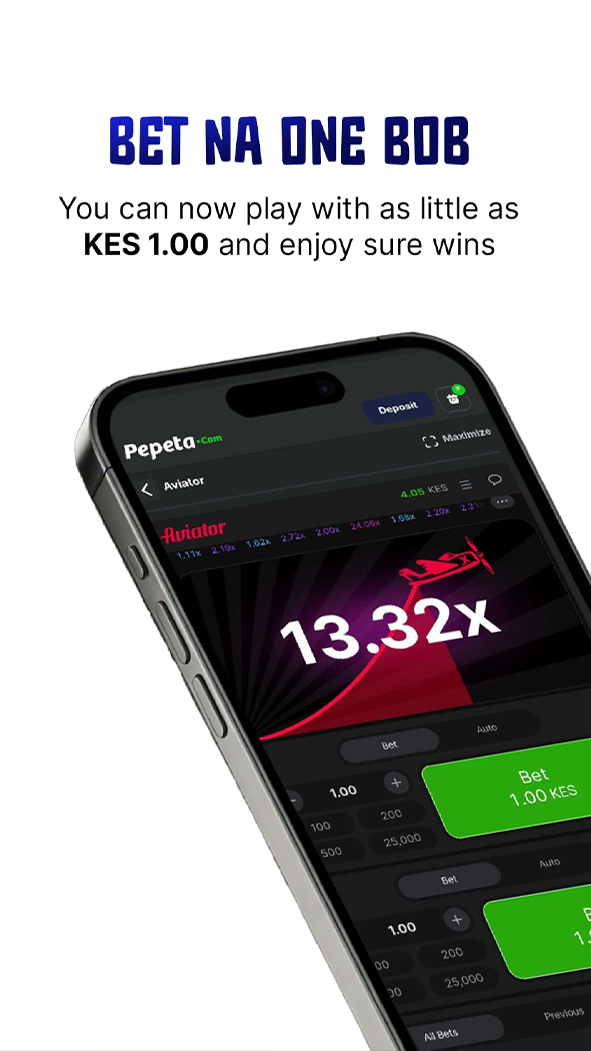
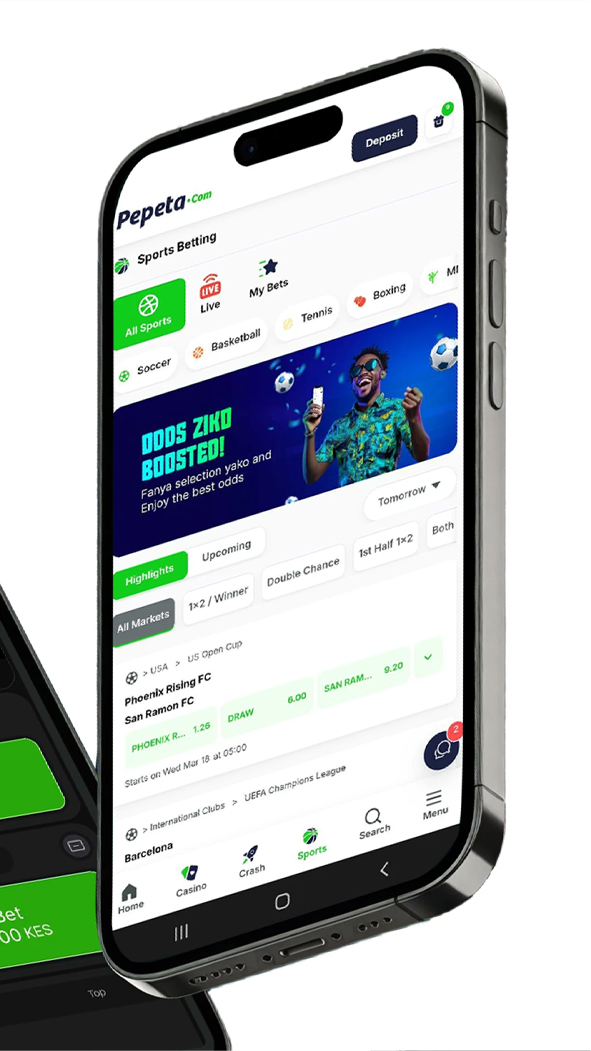
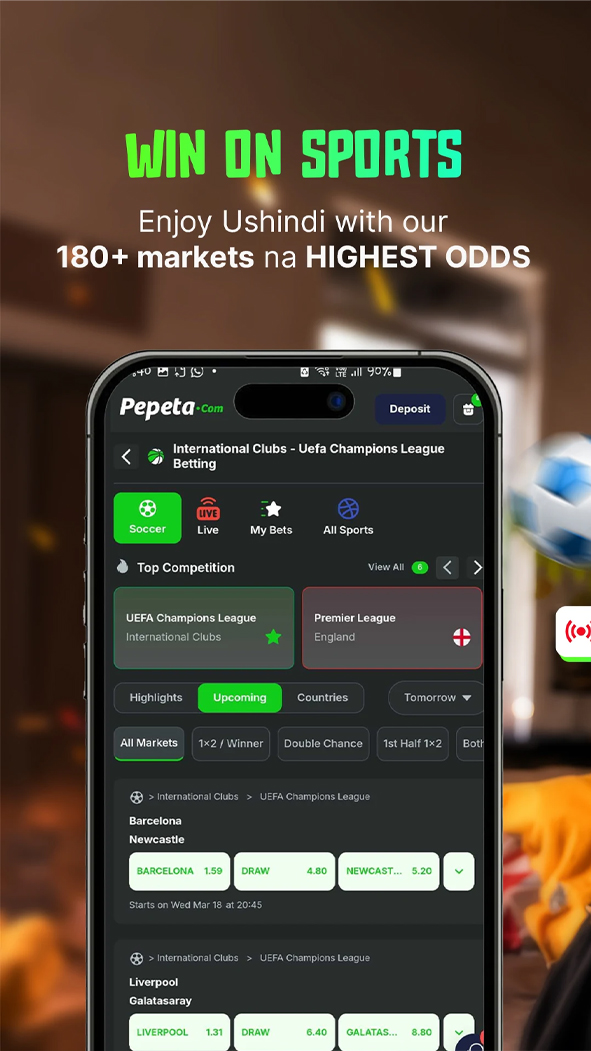

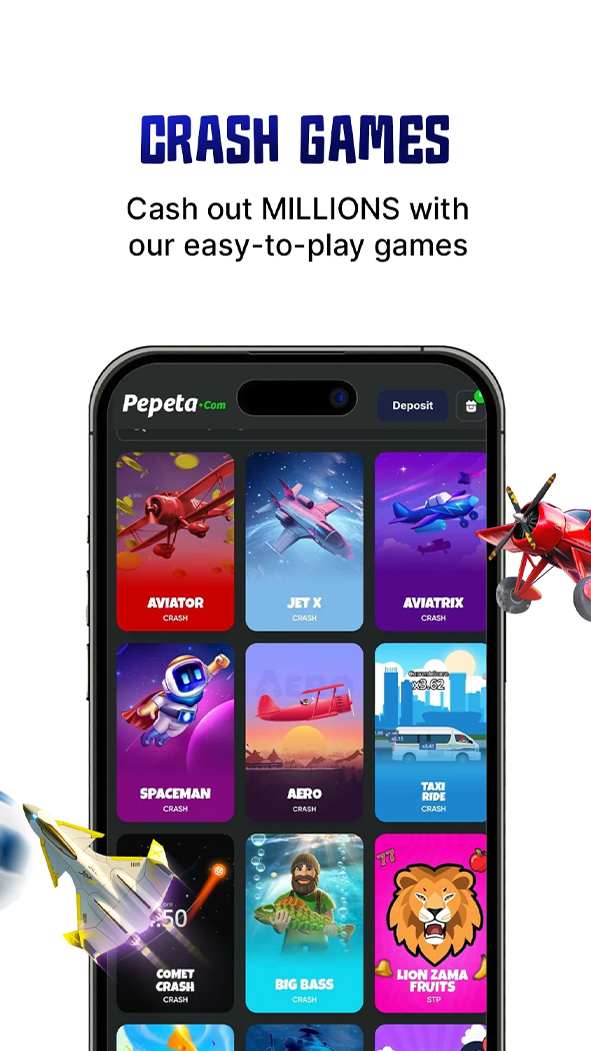


Pepeta entered the Kenyan market in 2023 and operates under Norm Kick Off Kenya Limited, a company licensed by the Betting Control and Licensing Board. The platform is relatively young compared with its competitors, but it has already established its position in the market. Its marketing and most promotions focus on crash games, while sports betting is the second most important product.
The main way to use the service on a smartphone is through the Pepeta app for Android. Below, we explain how to install it, what features are available and how the mobile application differs from the browser version.
How to Download and Install the Pepeta App?
The Pepeta APK is distributed through the operator’s official website, with the download link located at the bottom of the homepage. The application is also available on Google Play, and Pepeta regularly shares a link to its store listing through its official social media accounts.
Installation from the website:
- open the official website and scroll down to the app download banner;
- tap the download button;
- allow installation from unknown sources in the phone’s security settings;
- open the downloaded APK file and complete the installation.
Technical Specifications
| Developer | Pepeta |
|---|---|
| Current version | 1.0.29 |
| App size | ~8.3 MB |
| Minimum OS version | Android 7.0+ |
| Available on Google Play | ✔️ |
| Swahili interface | ❌ |
Device Compatibility
| Manufacturer | Models compatible with Android 7.0+ |
|---|---|
| Samsung | Galaxy S6, Galaxy S7, Galaxy S8, Galaxy Note5, Galaxy Note7, Galaxy Note8, Galaxy A (2016 and newer), Galaxy J (2016 and newer), Galaxy M, Galaxy Z Fold, Galaxy Z Flip |
| Xiaomi / Redmi / POCO | Xiaomi Mi 4c, Mi 4s, Mi 5, Mi 5s, Mi 6, Mi Mix, Mi Note 2, Redmi 3S, Redmi 4, Redmi 5, Redmi Note 3, Redmi Note 4, Redmi Note 5, Redmi K, POCO F, POCO X, POCO M, POCO C |
| Huawei / Honor | Huawei P9, P10, Mate 8, Mate 9, Mate 10, nova, nova 2, nova 3, Honor 8, Honor 9, Honor 10, Honor V8, Honor V9, Honor Play, Honor Magic |
| OPPO | R9, R9s, R11, F1s, F3, F5, F7, A3, A5, Find X, Reno |
| Vivo | X9, X20, X21, V5, V7, V9, Y55, Y66, Y69, Y71, Y81, Y83, iQOO |
| Realme | All realme models |
| Tecno | Camon, Spark, Pouvoir, Phantom |
| Infinix | Hot, Note, Smart, Zero |
| Sony | Xperia X Performance, Xperia XZ, Xperia XZ1, Xperia XZ2, Xperia XA, Xperia XA1, Xperia XA2, Xperia 1, Xperia 5, Xperia 10 |
| Other devices | Google Pixel, Pixel XL, Pixel 2, OnePlus 3, 3T, 5, Motorola Moto G4, G5, G6, Nokia 3, 5, 6, 7 Plus, ASUS Zenfone 3, Zenfone 4, ROG Phone, Lenovo K5, K6, K8, K9, ZTE Blade V7, Blade V8, Blade V9, Axon 7, TCL, Nothing Phone and other smartphones and tablets running Android 7.0+ |
The small APK size is an advantage for smartphones with limited storage, which are common in the budget segment.
App Features
Sportsbook and live betting. The sports section covers more than 10 sports and over 1,000 events per day, with football receiving the most attention. Basketball, tennis, esports and other disciplines are also available. Both pre-match and live betting are supported, with odds updated as the game progresses. The app also includes multibets and a Boosted Odds section featuring enhanced odds on selected outcomes from major matches. Pepeta sets these boosted odds manually rather than calculating them automatically using a general formula.
Match Center. The section displays the score, period-by-period statistics, possession and key events such as corners, cards and substitutions. Data is updated in real time during the match. Cash Out is also available, allowing users to close a bet before the event ends and lock in part of the potential profit or reduce the possible loss if the game starts going against them.
Crash games. In addition to Aviator, the Pepeta app includes JetX, Spaceman and Aviatrix. Each has its own round mechanics, with minimum bets starting from 2 KES. These games occupy a prominent position in the navigation and receive a significant share of the platform’s promotional activity.
Other entertainment. The app also includes slots and live casino tables from Pragmatic Play and SmartSoft, virtual sports and a demo mode for crash games, allowing users to practice without placing real-money bets.
Settings and Account
The available settings include:
- changing the password;
- linking an M-Pesa or Airtel Money number;
- managing push notifications for bets and promotions;
- switching the interface theme;
- signing in with a phone number or Google account.
The second option is relatively uncommon among Kenyan betting platforms and makes repeat logins faster.
The account section is built around a single wallet. The balance is shared across sports, casino and crash games, while the transaction history is divided into separate sections for sports bets and rounds played in Aviator and other games.
The same section also contains:
- verification status;
- linked payment methods;
- bonuses and promo codes.
Bonuses in the App
There is no separate reward for installing the Pepeta app. Promotions are the same across the mobile version, APK and website.
The current offers are listed under “Promotions” in the account section. If a promo code is available, it can be entered during registration in a separate field before the phone number is confirmed.
Registration and Verification
There are two ways to register:
- with a phone number and SMS verification code;
- through a Google account.
With the second option, the required details are filled in automatically, and registration takes less than a minute. When registering with a phone number, the user also needs to create a password.
Identity Verification
KYC verification is mandatory before the first withdrawal. The phone number must be confirmed with an SMS code, and a scan of a national ID card or passport must be uploaded through the account section. In some cases, the operator may also request proof of the payment method, such as an M-Pesa screenshot showing the account holder’s name.
Deposits and Withdrawals
Money can be deposited directly through the Pepeta app. In the “My Wallet” section, select a payment method, enter the amount and confirm the transaction with a PIN. Withdrawals work in much the same way: open “Withdraw”, enter the amount and select the payment method, after which a confirmation request is sent.
Pepeta does not charge a separate withdrawal fee. Only the standard mobile operator transfer fee may apply, if the transaction amount is subject to one.
Deposit Methods
| Payment system | Minimum | Maximum | Speed |
|---|---|---|---|
| M-Pesa (Paybill 779900) | 100 KES | 70,000 KES per transaction | Instant |
| Airtel Money | 100 KES | 70,000 KES per transaction | Instant |
Withdrawal Methods
| Payment system | Minimum | Maximum | Speed |
|---|---|---|---|
| M-Pesa | 100 KES | 70,000 KES per transaction, 140,000 KES per day | 5–15 minutes |
| Airtel Money | 100 KES | 70,000 KES per transaction, 140,000 KES per day | 5–15 minutes |
Limits and minimum amounts may change from time to time, so it is worth checking the current terms in the app before making a large withdrawal.
How to Place Bets in the App?
The app supports single bets, accumulators, system bets and live betting — the standard range of options for a sportsbook. Aviator and other crash games use their own betting mechanics.
For a sports bet:
- select a sport from the bottom menu;
- find the event and tap the odds — they will be added to the bet slip, where you can enter the stake;
- confirm the bet by tapping the placement button.
For an accumulator or system bet, add several selections in the same way. The bet slip will automatically recalculate the combined odds.
For Aviator, open the crash games section, select the game, enter the stake before the round starts and tap “Cash Out” before the plane leaves the screen. The later you cash out, the higher the potential multiplier, but the risk of missing the exit point also increases.
Difference Between the App and Desktop Version
| Feature | App | Website |
|---|---|---|
| Registration | ✔️ | ✔️ |
| Live streaming | ❌ | ❌ |
| Push notifications | ✔️ | ❌ |
| Quick login | ✔️ (saved credentials or Google account) | ❌ |
| Biometric support | ❌ | ❌ |
| Access to statistics and media center | ✔️ | ✔️ |
| Support chat | ✔️ | ✔️ |
| Betting calculator | ✔️ | ✔️ |
FAQ
Can I register through a Google account?
Is there a Pepeta app for iPhone?
Does Pepeta charge a withdrawal fee?
Can I play Aviator without registering?
Does the app offer live sports streaming?
Pros and cons
Pros:
- compact APK size, making it suitable for smartphones with limited storage
- Google account login without manually filling out the registration form
- minimum bet of 10 KES on sports and 2 KES on crash games
- no separate withdrawal fee charged by the operator
Cons:
- no live sports streaming
- only two deposit and withdrawal methods
- the sports betting section receives noticeably less attention than the crash games and casino